Tag: iBoysoft

iBoysoft Helps Get Your Mac Ready for macOS Ventura: Top 10 Issues, Solutions and Reasons
eNewsChannels NEWS: -- iBoysoft, a software and utility development company, presents a roundup list of the most common macOS Ventura problems and fixes. They investigate every Ventura problem that users have previously reported, and so far there is nothing major and all the issues can be fixed.
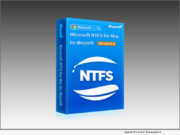
How to Solve NTFS Hard Drive Won’t Mount on macOS 10.15.7 After Security Update
eNewsChannels NEWS: -- iBoysoft, a professional and innovative software developer, upgrades one of its flagship products - iBoysoft NTFS for Mac - to Version 4.2 as the first solution worldwide to the issue that NTFS-formatted external storage devices will not mount after the latest Security Update 2022-003 on macOS Catalina 10.15.7 on March 16, 2022.

macOS Monterey Disappoints Mac Users with Paralyzed Macs, Update failure, and Unavailable NTFS Write Support says iBoysoft
eNewsChannels NEWS: -- Apple's macOS 12 Monterey has been officially released to the general public on October 25, 2021. This update brings a refined macOS Big Sur experience and new features including Live Text, AirPlay, SharePlay, and Shortcuts app. The top-end 2021 MacBook Pros with M1 Pro or M1 Max chips are shipped with macOS Monterey. But macOS Monterey users are reportedly facing problems, says iBoysoft.
iBoysoft Announces 4 Ways to Recover Data After Updating to macOS Catalina
eNewsChannels NEWS: -- iBoysoft, a dedicated Mac and Windows software developing company since 2017, lately unveils a series of solutions to fix Mac not booting issue after the recent macOS 10.15 Catalina update is published. It aims to help users enjoy new features of the latest macOS while keeping their data safe and intact.
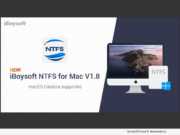
New iBoysoft NTFS for Mac Supports Microsoft NTFS Read-write in macOS Catalina
eNewsChannels NEWS: -- iBoysoft, a leading provider of data security and drive management software, recently releases a brand-new product, iBoysoft NTFS for Mac. Fully compatible with macOS Catalina, the software is designed to help users read, write to, check, repair, and format NTFS drives on Mac seamlessly.