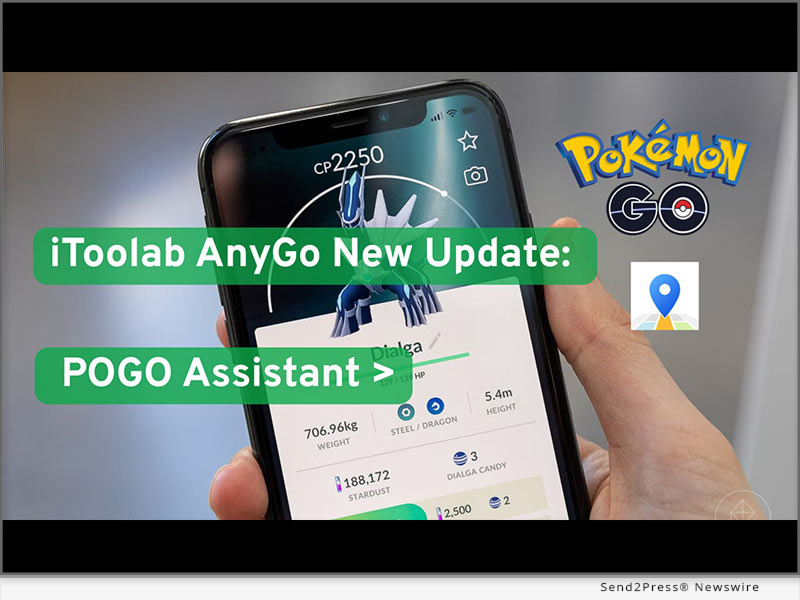
(NEW YORK and HONG KONG) — NEWS: iToolab recently launched an iOS update for AnyGo, featuring an upgrade of its POGO Assistant feature for Pokemon GO players. As this game remains focused around exploration, collection, and battle strategies, more users are seeking out reliable Pokemon GO spoofers that not only provide simple GPS location services but also deliver a more efficient gaming experience.
The latest update brings optimized accessibility features, optimizing game speed, decision making, and interactions within Pokemon GO. No longer solely focused on location changes; rather it helps players reduce repetitive actions quickly access key Pokemon data more controllably while keeping a flexible gameplay style for a better and smoother Pokemon GO experience.
WHAT’S NEW IN THE POGO ASSISTANT UPDATE
The new iOS update for iToolab AnyGo brings a series of improved POGO assistant features, significantly enhancing how players interact with Pokémon GO when using Pokémon GO cheat.
Key improvements in this update include:
* IV Display Upgrade
Instantaneously view Pokemon IV data to quickly assess whether caught Pokemon are worth keeping or training.
* Fast Capture Optimization
Simplifying capture process, decreasing animation time and speeding up overall game pace
* Enhanced Throwing Assistance
Improved throwing accuracy with reduced manual adjustments and increased capture efficiency.
* Enhanced Auto-Battle
Smarter team battle automation helps players handle battle scenarios more easily.
* Quick Interaction Tools
Faster PokéStop rotation speed and animation skipping for a smoother, more continuous gameplay experience.
* Expanded Interaction Range
A wider in-game interaction radius allows players to access more game elements without frequent repositioning.
* Auto-Progress Function
Background support for operations such as egg hatching, maintaining game progress even during non-event periods.
HOW TO USE THE UPDATED POGO ASSISTANT ON IOS
Enabling Pokémon GO Assistant is a simple process, requiring only a few steps and making it easy even for first-time Pokémon GO cheat users:
First, download and install iToolab AnyGo iOS. Then, you can use the teleport function on the map.
Next, to use Pokémon GO Assistant, download the customized version of Pokémon GO from iWhereGo Genius to your iPhone and launch it.
Next, locate the icon (Pokémon GO Ball) on the right side of the AnyGo interface to activate the Pokémon GO Assistant control panel. All available tools and functions can be centrally activated and managed here.
Here, users can easily enable assistant tools such as Individual Value (IV) viewing and quick catching, while also utilizing AnyGo’s location simulation function.
WHY THIS UPDATE MATTERS FOR POKÉMON GO PLAYERS
For many Pokémon GO players, routine actions such as catching Pokémon, evaluating IVs, and managing battles can quickly become time-consuming. With the introduction of the new Pokémon GO Assistant feature, these tasks will be simplified through faster execution and smarter in-game support, helping players reduce repetitive steps and focus more on strategy, collection progress, and exploration.
This update also improves the gaming experience for different types of players. Casual players can enjoy a simplified interaction method and less manual operation, while experienced players can optimize their gameplay by taking advantage of faster data access speeds and more efficient control options.
ABOUT ITOOLAB ANYGO
iToolab AnyGo is a GPS location changer for iOS and Android. It supports joystick control, route simulation, and instant location teleportation, allowing flexible virtual movement without jailbreak or root. Combined with the new POGO Assistant upgrade, it offers a more complete solution for Pokémon GO players to boost efficiency and gameplay control.
Learn more
Website: https://itoolab.com/gps-location-changer/
YouTube: https://www.youtube.com/@iToolab/videos
RELATTED LINKS:
https://iwherego.com/
https://itoolab.com/iphone-location-changer-app/
Related link: https://itoolab.com/
This version of news story was published on and is Copr. © eNewsChannels™ (eNewsChannels.com) – part of the Neotrope® News Network, USA – all rights reserved. Information is believed accurate but is not guaranteed. For questions about the above news, contact the company/org/person noted in the text and NOT this website. Published image may be sourced from third party newswire service and not created by eNewsChannels.com.